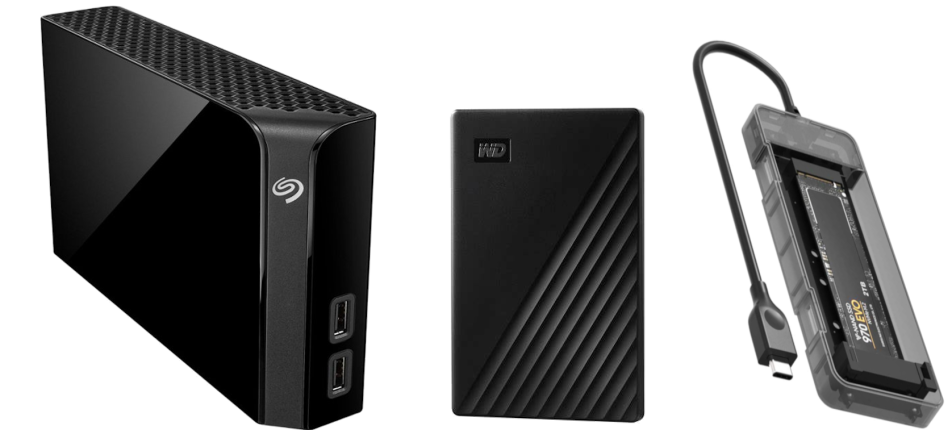
When purchasing a Ransom Shield backup device, there are 3 primary considerations.
Device capacity, device connectivity, and device form factor.
Device Capacity
The backup device needs to be large enough to contain all the system files and data on your PC.
A basic check of the used space will give you the information you need.
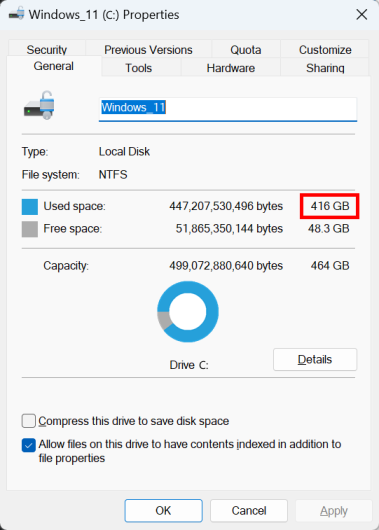
In the example above, a 512GB drive would handle a full-system backup for this system.
There would not be much free space left, so you might want to consider a larger 1TB drive.
Device Connectivity
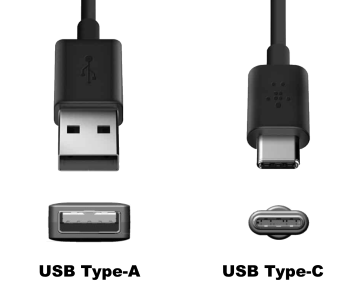
The types of USB ports available on your PC will determine the speed of your backup device.
Type-A ports are available on older PCs and allow slower USB 3.0 connections.
Type-C ports are on most newer PCs and allow faster USB 3.1, 3.2 and 4.0 connections.
Faster connections mean faster backup times and faster boot times when running from the backup drive.
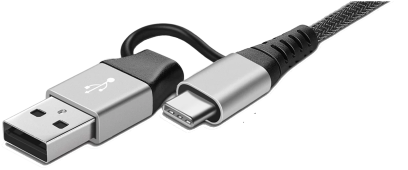
Adapters can be used to connect USB 3.1 and higher devices to USB 3.0 ports,
but the device will always run at the slowest connection speed.

USB 3.0 USB 3.1 USB 3.2 USB 4.0
5Gbps 10Gbps 20Gbps 40GbpsDevice Form Factor
If malware infects your system drive, the best practice is to remove and dispose of the physical drive from the PC.
You can continue to work indefinitely by booting from your external Ransom Shield drive.
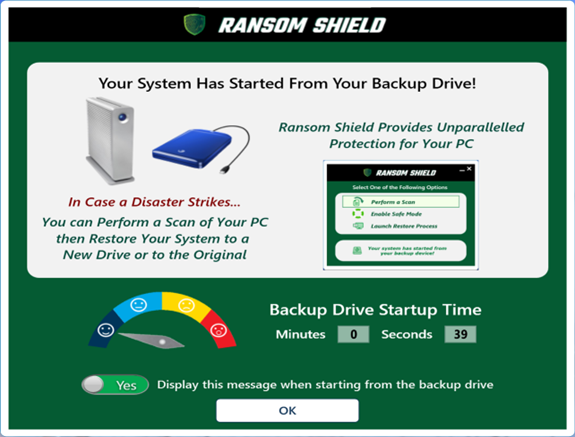
Once you replace the infected drive with a new clean drive, you can restore your PC from the booted backup drive to the new drive.
Ransom Shield allows you to launch a restore process with just a few clicks.
When this process completes, you can restart and run from your new internal drive.
Some users may want to immediately replace their infected system drive with their backup drive.
To do this, you would need to remove the backup drive from the external enclosure, open the PC, then install it as a replacement drive.

If your backup plan involves using the backup drive as a replacement drive in the event of a disaster,
you will need to ensure that the form factor of the backup drive matches the system drive.